
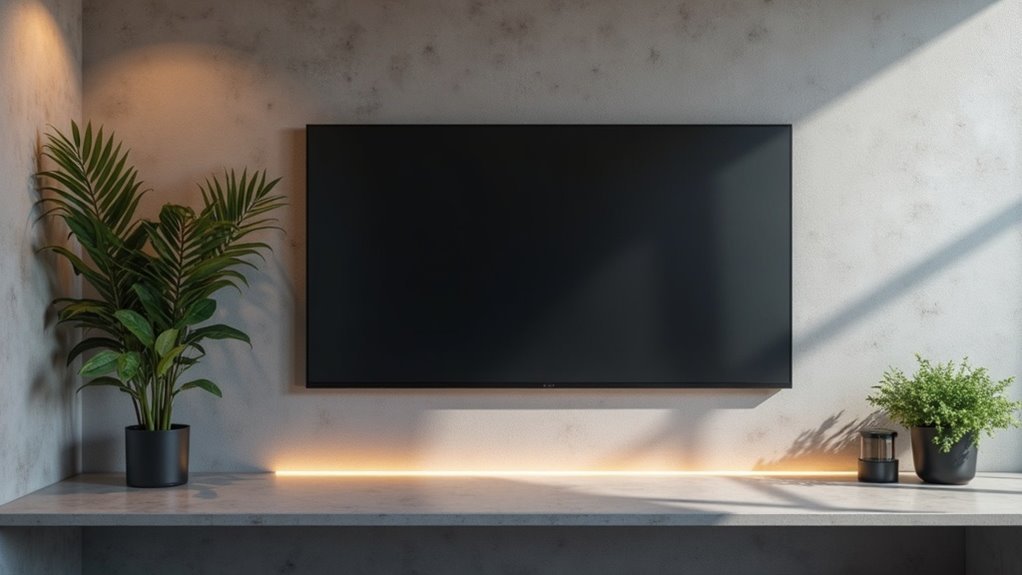
To minimize reflective surfaces near displays, use matte finish materials and incorporate anti-reflective coatings to reduce glare. Position displays perpendicular to light sources and adjust their height to align with eye level. Employ adjustable monitor arms for flexibility and consider indirect lighting techniques that distribute light evenly. Adding blinds or sheer curtains can further diffuse intense light. Implementing these strategies will help optimize visibility and viewer comfort, and there’s more to explore about effective glare reduction methods.
Key Takeaways
- Utilize matte finish materials for surrounding surfaces to significantly reduce glare and reflections near displays.
- Position displays perpendicular to light sources to minimize direct reflections on screens.
- Incorporate adjustable monitor arms to easily align displays and reduce glare-causing angles.
- Use blinds or sheer curtains to diffuse incoming light and manage reflection intensity around displays.
- Apply anti-reflective coatings on display surfaces to enhance visibility by reducing surface reflections.
Understanding Glare and Its Impact
When you encounter glare in display settings, it not only causes discomfort but also greatly reduces visibility, interfering with the clarity of the content you’re trying to view.
Glare manifests in two forms: disability glare, which impairs your vision, and discomfort glare, leading to eye strain.
To enhance visibility, you must balance lighting conditions and reduce reflections. Implementing glare reduction techniques, such as strategic fixture placement and the use of diffusers, is essential.
Balancing lighting conditions and minimizing reflections are key to enhancing visibility and reducing glare.
Thoughtful lighting design protects sensitive materials from harsh illumination, preventing color fading while improving the overall aesthetic appeal of displays, ultimately enhancing your viewing experience.
Choosing the Right Materials for Displays
Choosing the right materials for displays is essential for minimizing glare and enhancing visibility. To achieve peak performance, consider these options:
- Matte Finish: Select materials with a matte finish to greatly reduce glare compared to glossy surfaces.
- Anti-Reflective Coatings: Apply anti-reflective coatings to glass, lowering reflectance from 8% to 1.7%, which improves clarity.
- Tinted Films: Incorporate tinted films to absorb and redirect unwanted light, enhancing glare reduction.
Utilizing frosted acrylic and specialized optical coatings further improves light transmittance while minimizing distracting reflections. This ensures an ideal viewing experience across various display environments.
Effective Lighting Techniques
To effectively minimize reflections near displays, you should utilize indirect lighting solutions that distribute light evenly and reduce glare.
Adjustable fixtures with dimmer controls allow you to tailor brightness levels based on the environment, enhancing visibility without creating harsh reflections.
Indirect Lighting Solutions
While direct lighting can often lead to unwanted glare and reflections on displays, employing indirect lighting solutions effectively mitigates these issues.
Here are three effective techniques to contemplate:
- Position light sources to bounce off walls or ceilings, minimizing reflected light on the screen surface.
- Utilize dimmable LED fixtures to control brightness levels, reducing glare while enhancing visibility.
- Incorporate fiber optic lighting that provides illumination without heat or glare, ideal for sensitive displays.
Adjustable Fixtures Benefits
Indirect lighting solutions set the stage for further enhancements through adjustable fixtures, which offer significant benefits in managing glare and reflections on displays.
These adjustable fixtures allow you to precisely angle light, effectively reducing reflections and improving visibility. By utilizing dimmable LED options, you can control brightness levels for softer illumination that minimizes harsh reflections.
The flexibility of these fixtures enables layered lighting effects, enhancing depth while reducing overall brightness. Smart adjustable fixtures can be programmed to enhance light intensity and angles, ensuring ideal viewing conditions.
Strategically positioning them diffuses light, creating even distribution and minimizing distracting reflections on surfaces.
Utilizing Dimmer Controls
By incorporating dimmer controls, you can greatly enhance the lighting dynamics in display areas, effectively reducing reflections and glare.
Here are three effective techniques:
- Adjustable Intensity: Tailor brightness levels to your specific needs, improving visibility while minimizing glare.
- Softening Illumination: Dimming lights softens overall brightness, creating a more visually comfortable environment.
- Smart Automation: Utilize smart dimmer systems to adjust lighting based on time of day or occupancy, maintaining ideal conditions.
These strategies empower you to utilize effective lighting solutions that not only improve aesthetics but also enhance display functionality by reducing reflections considerably.
Positioning Strategies for Displays
To effectively minimize reflections and glare on display screens, it’s crucial to position them strategically in relation to light sources.
Positioning strategies should include placing displays perpendicular to direct light, like windows or overhead fixtures, to reduce reflections on the screen surface.
Adjust the height of the display so your eye line aligns with the screen, decreasing the angle of incoming light that causes glare.
Utilize adjustable monitor arms for easy repositioning based on changing conditions.
Additionally, incorporate matte finishes on surrounding surfaces and use blinds or sheer curtains to diffuse light, effectively controlling the intensity of reflections.
Utilizing Anti-Reflective Coatings
Anti-reflective coatings greatly enhance display visibility by minimizing glare through advanced layering techniques.
When you apply these coatings to glass or plastic surfaces, they can reduce reflections by up to 99%, improving your viewing experience.
It’s essential to assess the manufacturing process and maintenance practices to guarantee peak performance and longevity of these coatings.
Benefits of Anti-Reflective Coatings
Clarity in visual displays is paramount, especially in environments with challenging lighting conditions.
Anti-reflective coatings offer significant benefits:
- Reduce Glare: These coatings can decrease glare by up to 99%, enhancing visibility and reducing eye strain.
- Improve Clarity: They enhance the overall display clarity, making content legible even in bright settings.
- Protect Screens: Many modern displays feature built-in anti-glare screens, safeguarding against scratches and fingerprints.
Investing in displays with high-quality anti-reflective coatings not only minimizes distractions from reflections but also elevates your viewing experience, ensuring comfort and aesthetic appeal.
Application Techniques for Coatings
Applying anti-reflective coatings effectively requires a precise understanding of the techniques involved.
To achieve ideal glare reduction, consider using multi-layer optical coatings, as they greatly reduce reflections compared to single-layer options. These coatings utilize interference effects to cancel specific wavelengths of reflected light, enhancing visibility and image clarity on the screen surface.
Before purchasing, visually compare different coatings to guarantee maximum effectiveness. Regular maintenance is essential; clean the coated surfaces frequently to remove oils and fingerprints that can diminish the coatings’ performance.
Incorporating Smart Technology for Lighting Control
As you seek to minimize reflections on displays, incorporating smart technology for lighting control becomes essential.
Here are three ways to enhance your setup:
- Dynamic Brightness Adjustment: Smart lighting systems can automatically adjust brightness throughout the day, reducing glare.
- Remote Control Capabilities: Integrate with home automation to fine-tune lighting conditions from anywhere, ensuring optimal display visibility.
- Ambient Light Response: Automated setups can adapt to changing ambient light, maintaining perfect illumination levels.
