
UnionSine 500GB Ultra Slim Portable External Hard Drive HDD-USB 3.0

The UnionSine 500GB Ultra Slim Portable External Hard Drive HDD-USB 3.0 is an ideal choice for remote workers seeking a compact and efficient solution for data storage. This lightweight device features an ultra-thin design, measuring just 1.0 cm in thickness (0.39 inches), making it easily portable and convenient for working on the go. Ergonomically designed with a mirrored logo stripe and anti-slip texture, it ensures a secure grip during use. With theoretical read speeds of up to 125MB/s (megabytes per second) and write speeds of 103MB/s, it supports both USB 3.0 and USB 2.0 interfaces, providing flexibility for various devices.
The noise-free operation and plug-and-play functionality enhance the user experience, making it an excellent addition to any home office setup. Plus, a three-year warranty offers added peace of mind for remote workers.
Best For: Remote professionals seeking a compact and efficient external hard drive for portable data storage and quick access to their files.
Pros:
- Ultra-thin and lightweight: Easily fits in pockets or laptop bags, perfect for on-the-go convenience.
- High data transfer speeds: Theoretical read speeds up to 125MB/s and write speeds of 103MB/s for efficient file transfers, helping you save time during busy workdays.
- Quiet operation: Utilizes noise-free technology, allowing for a peaceful and distraction-free working environment.
Cons:
- Limited storage capacity: At 500GB (approximately 465GB usable), it may not be sufficient for users with extensive data storage needs, such as large media files or extensive project archives.
- Dependence on USB: Requires a compatible USB port for connection, which may limit usability with certain devices or older computers.
- No advanced features: Lacks additional functionalities like encryption or built-in backup software, which can be essential for security-conscious remote workers.
This external hard drive is an excellent tool for enhancing your home office, ensuring that your important files are always within reach.
Seagate 2TB Portable Hard Drive | USB 3.0 (STGX2000400)

Seagate 2TB Portable Hard Drive | USB 3.0 (STGX2000400)
Perfect for remote workers, the Seagate 2TB Portable Hard Drive provides effortless storage and backup solutions for your home office. This compact device, model STGX2000400, offers generous space for all your important files, ensuring seamless compatibility with both Windows and Mac computers.
The plug-and-play setup means you can get started immediately—simply connect it, and your computer will recognize it without the need for additional software. Featuring a USB 3.0 interface, this hard drive allows for rapid data transfers, supported by an included 45.72 cm (18-inch) cable. Users can easily manage their files using straightforward drag-and-drop methods, making it an excellent choice for those who need to access and organize their data quickly.
With its substantial capacity and user-friendly design, the Seagate Portable Hard Drive emerges as a dependable solution for data protection, ideal for anyone working remotely.
Best For: Home office professionals seeking a portable and efficient storage solution compatible with both Windows and Mac systems.
Pros:
- Plug-and-play simplicity: No software installation is required, allowing for immediate use.
- Ample storage capacity: 2TB (approximately 1.81 TB formatted) accommodates a wide variety of files, perfect for documents, presentations, and backups.
- Fast data transfer: USB 3.0 interface enables quick access and efficient backups.
Cons:
- Limited physical durability: Being portable may increase the risk of damage if dropped.
- Dependent on external power: Requires a USB connection for power, which may limit mobility.
- No encryption features: Lacks built-in security options for sensitive data, which can be a concern for remote workers handling confidential information.
This hard drive seamlessly integrates into any home office setup, helping you stay organized and efficient while working remotely.
WD 2TB Elements Portable External Hard Drive

For remote workers seeking a reliable and portable storage solution, the WD 2TB Elements Portable External Hard Drive is an excellent choice. Manufactured by Western Digital, this compact and lightweight model offers ample storage capacity for essential files, photos, videos, and important documents—perfect for those managing projects from their home office. With SuperSpeed USB 3.2 Gen 1 connectivity, you can enjoy fast transfer rates of up to 5 Gbps (approximately 625 MB/s), ensuring quick access to your data.
This drive is compatible with both Windows and Mac systems, making it an ideal addition to any home office setup. Its plug-and-play functionality allows for easy expansion of your storage without any hassle, helping you stay organized and efficient while working remotely.
Best For: Those looking for a dependable, portable storage solution to keep their essential files, photos, and media easily accessible while working from home.
Pros:
- Compact and lightweight design (approximately 11.4 cm x 8.0 cm x 1.9 cm) makes it easy to carry around.
- Fast transfer speeds of up to 5 Gbps (approximately 625 MB/s) with SuperSpeed USB 3.2 Gen 1.
- Plug-and-play functionality allows for easy setup and use across multiple devices.
Cons:
- Limited to 2TB capacity in this model, which may not be sufficient for all users.
- External hard drives can be more susceptible to physical damage compared to cloud storage options.
- No built-in encryption for data security.
O&O DiskImage 21 Premium Data Backup for Windows
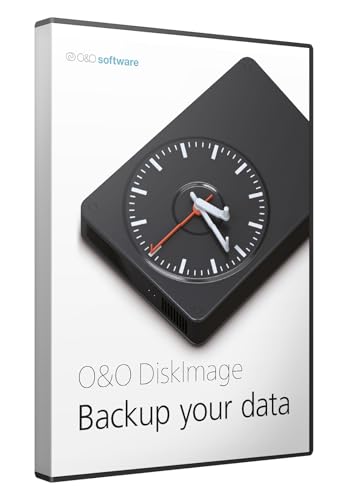
O&O DiskImage 21 Premium: Essential Data Backup for Your Home Office
O&O DiskImage 21 Premium is an outstanding solution for remote workers looking to safeguard their data while operating from a home office. Compatible with Windows 11 and 10, this software ensures robust data backup options for PCs, hard drives, and SSDs, providing reliable protection against data loss. Key features include fast system recovery and hardware-independent restore, allowing users to recover their data effortlessly, even if they change their hardware setup.
With a lifetime license for one user, O&O DiskImage simplifies the process of system reinstalls, saving you valuable time that can be better spent enhancing productivity in your home office. The software prioritizes maximum security and data integrity during backups, making it an essential tool for anyone focused on maintaining data safety while working remotely.
Best For: O&O DiskImage 21 Premium is ideal for remote workers who need a dependable and efficient data backup solution to protect their vital files and systems.
Pros:
- Comprehensive protection against data loss with versatile backup options tailored for the home office environment.
- Fast system recovery allows you to restore your systems quickly after failures, minimizing downtime.
- Lifetime license for one user provides long-term value without recurring fees, ideal for freelancers and remote employees.
Cons:
- Limited to Windows operating systems, excluding compatibility with other platforms.
- May require a learning curve for those unfamiliar with backup software, which might slow initial setup.
- CD-ROM format may be inconvenient for users without optical drives, particularly in modern setups.
Whether you’re setting up a new workstation or enhancing your current home office, O&O DiskImage 21 Premium is a vital component for ensuring your data remains secure and accessible.
WD_BLACK 8TB D10 Game Drive for Console & PC

The WD_BLACK 8TB D10 Game Drive serves as an outstanding option for remote workers who require ample storage for their digital files and projects. With a robust capacity of 8TB (approximately 7,276 GB), this external HDD can easily accommodate large libraries of documents, multimedia files, and backups, making it ideal for those managing extensive data from their home office.
This portable hard drive offers impressive speeds of up to 250 MB/s (about 1,000,000 KB/s), operating at 7200 RPM, ensuring efficient data transfers and quick access during busy work sessions. Its active cooling technology helps prevent overheating, maintaining optimal performance even during prolonged use.
Additionally, the drive features two 7.5W USB Type-A ports, allowing users to charge multiple devices like smartphones or tablets, enhancing your productivity setup. Compatible with Windows PCs, Macs, and various operating systems, the WD_BLACK D10 is designed for the dedicated home office worker.
Best For: Remote workers seeking extensive storage and fast performance for managing large files and data.
Pros:
- High Capacity: With 8TB of storage, it can hold a vast array of documents, multimedia, and backups.
- Fast Performance: Delivers speeds up to 250 MB/s, ideal for seamless data management and transfers.
- Active Cooling: Prevents overheating, ensuring reliable performance during long work hours.
Cons:
- Portability: While relatively portable, it may be bulkier compared to smaller SSD options, making it less convenient for frequent travel.
- Price: It may be pricier than other HDDs with lower capacities, which could be a consideration for budget-conscious users.
- Dependency on Power: Requires an external power source for operation, which may limit some mobile use cases.
YOTUO 1TB External Hard Drive & Multiport Hub

YOTUO 1TB External Hard Drive & Multiport Hub: Elevate Your Home Office Setup
YOTUO’s 1TB External Hard Drive & Multiport Hub is a must-have for anyone working remotely and seeking enhanced connectivity in a compact design. This all-in-one device features a 1TB hard drive (approximately 931 GB usable) alongside a multi-port hub and an SD/TF card reader, ensuring seamless data access for your home office needs. Weighing just 0.5 kg (1.1 lbs) and measuring 12.7 cm x 7.6 cm x 2.0 cm (5.0 in x 3.0 in x 0.8 in), its lightweight structure makes it perfect for users who frequently transition between workspaces.
The hub supports multiple interfaces, including USB-C and USB 3.2, ensuring compatibility with various operating systems such as Windows, macOS, Linux, and more. By streamlining your workflows and minimizing the need for multiple adapters, the YOTUO hard drive significantly boosts productivity for remote workers, creatives, and tech enthusiasts alike.
Best For: Remote professionals and creative users looking for a compact, multi-functional device that enhances data access and connectivity in their home office.
Pros:
- All-in-One Design: Combines storage and connectivity in a single, portable device perfect for remote work.
- Wide Compatibility: Works seamlessly with multiple operating systems and devices, improving usability across your home office setup.
- Streamlined Workflows: Reduces the need for multiple adapters, enhancing efficiency during work hours.
Cons:
- Limited Apple Compatibility: Only compatible with newer Apple devices featuring USB-C ports.
- Potential Heat Generation: May become warm during extended use due to its compact design, so consider proper ventilation.
- Storage Limitations: 1TB may not meet the needs of users with extensive data storage requirements.
Enhance your home office experience with the YOTUO 1TB External Hard Drive & Multiport Hub, designed to make your remote work as efficient and productive as possible.
Kosbees 500GB Portable External Hard Drive
Product not found or API error.
Kosbees 500GB Portable External Hard Drive: A Home Office Essential
Perfect for remote workers and professionals, the Kosbees 500GB Portable External Hard Drive ensures seamless compatibility across various devices. Weighing just 0.16 kg (0.35 lbs) and featuring an ultra-slim design, this drive is compatible with Windows, Mac, PS4, and Xbox consoles. With impressive read speeds of up to 133 MB/s and write speeds of 103 MB/s, it facilitates efficient data transfers, crucial for enhancing productivity in your home office.
The plug-and-play functionality allows for immediate use without the need for software installation, although Mac users will need to format it to ExFat before use. Rigorously tested for quality assurance, the drive is backed by a one-year warranty, making it a dependable choice for those in need of quick and easy storage solutions for files and documents.
Best For: Remote workers seeking a lightweight, portable storage solution that integrates seamlessly with their home office setup.
Pros:
- Ultra-slim and lightweight design (0.16 kg / 0.35 lbs) for easy portability.
- High data transfer speeds (up to 133 MB/s) enhance file management efficiency.
- Plug-and-play functionality allows for quick setup without software installation.
Cons:
- Mac users must format the drive to ExFat, which may require additional steps.
- Limited storage capacity of 500 GB may not suffice for users with extensive file collections.
- Current-gen games and large applications may need to be transferred to internal SSDs for optimal performance, limiting direct access.
This external hard drive is an excellent addition to any home office, ensuring you have the necessary storage to manage your workload effectively.
Factors to Consider When Choosing Backup Hard Drives
When choosing a backup hard drive for your home office setup, several essential factors should be considered to enhance your remote work experience. Key elements include storage capacity, which ensures you have ample space for all your important files, and data transfer speed, which can significantly impact how quickly you can back up or access your data.
Compatibility with various devices is also crucial, especially if you use multiple devices like laptops, tablets, or desktops. Portability and design matter too, as a compact and stylish drive can easily fit into your workspace without adding clutter.
Understanding these factors can help you select an effective backup solution, ensuring you keep your data safe and accessible, allowing you to focus on productivity from the comfort of your home office.
Factors to Consider When Choosing Backup Hard Drives
Choosing the Right Backup Hard Drive for Your Home Office
When setting up an efficient home office, selecting the right backup hard drive is crucial for effective data management. Here are several key factors to consider:
- Storage Capacity: Choose a drive that suits your data needs. Options typically range from 500GB (approximately 0.5TB) to 8TB (about 7.27TB), accommodating various file sizes for documents, images, and videos.
- Data Transfer Speeds: Look for drives with USB 3.0 interfaces, which offer efficient read speeds up to 125MB/s (about 1.34GB/min) and write speeds of up to 250MB/s (approximately 2.65GB/min). This ensures quick backups and access to your files.
- Compatibility: Ensure the hard drive is compatible with your operating system, whether it’s Windows, macOS, or Linux. Some drives may need specific formatting to function optimally, so check compatibility before purchasing.
- Portability and Design: If you frequently work from different locations, consider lightweight and slim drives. These are easier to transport and fit seamlessly into your home office setup.
- Ease of Use: Opt for plug-and-play drives that simplify the backup process. These allow for immediate functionality without the need for additional software installation, making it easier to keep your data secure.
Storage Capacity Requirements
Storage Capacity Requirements for Your Home Office
When selecting a backup hard drive for your home office, it’s essential to consider your storage capacity needs, as data requirements can vary significantly over time. For casual users, such as those storing documents and photos, a 500GB drive (approximately 465GB usable space on Windows) is often adequate. However, professionals and gamers who require larger applications and files may need 2TB (around 1.82TB usable) or more.
Understanding the difference between binary and decimal capacities is crucial; for instance, a 1TB drive typically offers around 931GB (or approximately 865GB usable) on Windows. If you’re managing extensive media libraries, including high-resolution videos and games, consider external drives with capacities of 8TB (about 7.27TB usable) or more.
To ensure your hard drive can accommodate your long-term storage needs—especially if you’re working remotely and may have fluctuating data requirements—it’s vital to estimate your total data size, including backups. This foresight will help you avoid frequent upgrades and keep your home office running smoothly and efficiently.
Data Transfer Speed
Data Transfer Speed: Essential for Your Home Office Setup
Data transfer speed is crucial for the efficiency of backup processes, especially for those working remotely from a home office. Typical read speeds range from 110 MB/s (approximately 880 Mbps) to 250 MB/s (about 2,000 Mbps), which can be influenced by the specifications and technology of your drives. Write speeds are also significant, usually ranging from 103 MB/s (around 824 Mbps) to 125 MB/s (about 1,000 Mbps). These speeds directly affect how quickly data can be saved, which is vital for maintaining productivity while managing large files.
When selecting storage devices, consider the interface type, as it markedly impacts these speeds. USB 3.0 and USB 3.2 interfaces offer faster data transfer rates compared to USB 2.0, making them preferable for your home office setup. While evaluating drives, it’s important to keep in mind both theoretical maximum speeds and real-world performance, which can vary based on file sizes and the health of the drive.
Faster data transfer speeds can significantly reduce backup times, enhancing overall efficiency for anyone juggling extensive data in a home office environment. Ensuring your equipment is up to par can lead to smoother workflows and a more productive remote work experience.
Device Compatibility Options
When selecting backup hard drives for your home office setup, ensuring compatibility with your devices is crucial for smooth operation. It’s important to verify that the drive works with your operating system—whether it’s Windows, Mac, or Linux—to avoid any connectivity problems. If you plan to store game data, make sure the drive supports gaming consoles like PS4 or Xbox One, which can be useful for those balancing work and play.
Additionally, choosing drives with multi-interface support, such as USB 3.0 (5 Gbps) or USB-C (up to 10 Gbps), can enhance compatibility across a variety of devices, including laptops and tablets. Look for plug-and-play functionality, which simplifies the connection process and eliminates the need for extra software installation.
Keep in mind that some drives may require formatting to specific file systems, such as ExFAT for Mac users, for optimal performance across different platforms. This consideration is particularly important for remote workers who rely on a seamless workflow in their home office.
Portability and Design
Portability and Design for Home Office Backup Solutions****
When selecting a backup hard drive for your home office, portability and design are crucial, especially for those who may need to transport their data between different workspaces or locations. Choosing an ultra-slim and lightweight model ensures that the device can conveniently fit into bags or even pockets, making it ideal for remote workers who value flexibility. Ergonomic features like rounded corners and anti-slip surfaces improve grip and handling during travel, enhancing usability.
Moreover, effective heat dissipation is essential for maintaining data transfer stability, as it prevents overheating during prolonged usage—an important consideration for those working long hours. It’s vital that a compact design does not compromise storage capacity; users should be able to meet their data needs without unnecessary hassle.
Additionally, supporting multiple connectivity options—such as USB-C, USB 3.0, and Thunderbolt—greatly enhances compatibility with various devices, whether you’re using a laptop, desktop, or tablet. These thoughtful design elements contribute to a seamless user experience, allowing you to focus on productivity in your home office.
Ultimately, a well-designed backup hard drive not only safeguards your data but also fits seamlessly into your home office setup, ensuring you can work efficiently from anywhere.
Backup Software Features
When choosing a backup hard drive for your home office setup, it’s crucial to consider the software features that enhance your data protection and recovery. Key features to look for include:
- Data Loss Prevention: This ensures that all your important files are securely backed up and retrievable in the event of system failures, protecting your work and productivity.
- Fast System Recovery: Quick restoration capabilities are essential, allowing you to recover your entire system or specific files swiftly, minimizing downtime and keeping your workflow uninterrupted.
- Hardware-Independent Restore Options: This feature allows you to recover data across different hardware setups without facing compatibility issues, making it easier to switch devices.
- Lifetime License: Opting for a lifetime license can lead to long-term cost savings, ensuring you have continuous access to updates and support without needing to purchase new licenses periodically.
- Automatic Backup Functionality: This streamlines the backup process, reducing the risk of human error and ensuring that your scheduled backups are consistently performed—allowing you to focus on your work without worry.
These software features significantly enhance the reliability of backup solutions, ensuring that your home office remains productive and efficient, no matter the circumstances.
