
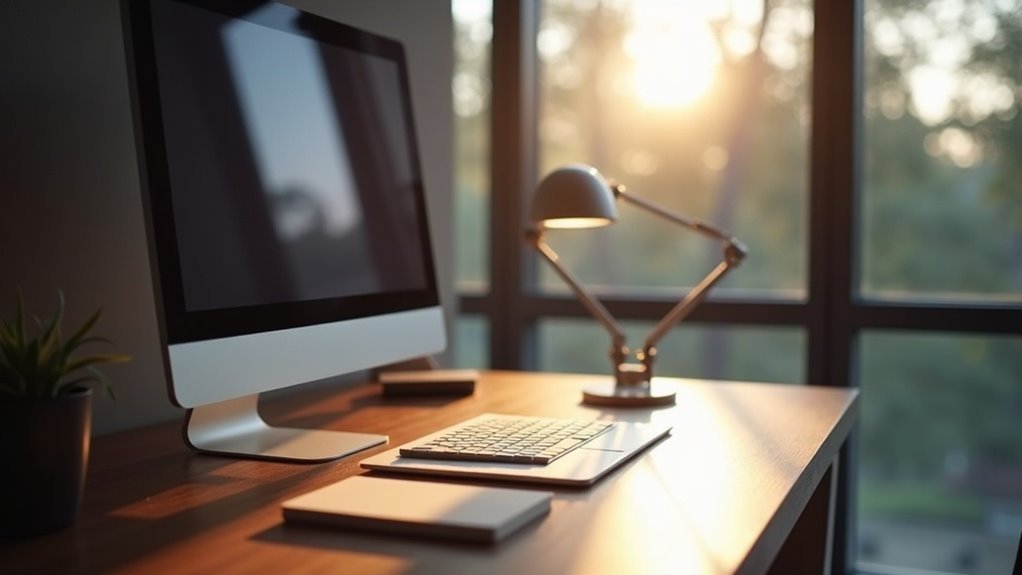
To balance light and screen glare, position your desk perpendicular to windows. This lets in natural light while reducing harsh reflections. Place your monitor at a 45-degree angle to the light source and at an arm’s length away, ensuring it’s slightly below eye level for comfort. Consider using sheer curtains to soften sunlight and desk lamps for gentle, indirect light. This creates a serene workspace ripe for productivity. There’s so much more to explore on creating your ideal setup.
Key Takeaways
- Position the desk perpendicular to windows to achieve balanced natural light and minimize glare on the screen.
- Angle the monitor at 45 degrees away from light sources to reduce reflections and enhance visibility.
- Maintain an arm’s length distance from the monitor to prevent eye strain and ensure comfort during use.
- Use sheer curtains or adjustable blinds to diffuse harsh sunlight and control brightness in the workspace.
- Incorporate indirect lighting with desk lamps to create a balanced ambient light that complements screen brightness.
Understanding the Impact of Desk Placement on Light and Glare
When you consider how desk placement affects your workspace, it’s clear that the right positioning can make all the difference in reducing glare and enhancing your screen experience.
By aligning your monitor perpendicularly to windows, you balance natural light and minimize screen glare, creating a comfortable viewing environment.
Keep your monitor about 20 to 28 inches from your eyes to prevent eye strain while improving visibility.
Utilize shades or blinds to manage incoming light and guarantee proper lighting.
A well-placed desk against a wall or in a corner can declutter your background, transforming your workspace into a focused haven for productivity.
Ideal Desk Orientation for Natural Light Management
To create an inviting workspace that harmoniously blends natural light with productivity, orienting your desk correctly is essential.
Follow these guidelines for ideal desk placement:
- Position your desk perpendicular to windows, minimizing direct sunlight glare while enjoying natural light.
- Angle your monitor at 45 degrees to the light source to enhance visibility and reduce reflections.
- Avoid placing your monitor directly in front of or behind windows to prevent backlighting and overwhelming glare.
- Use sheer curtains to diffuse harsh sunlight, ensuring a bright and comfortable workspace.
This setup not only improves your work-from-home experience but also helps reduce eye strain.
Positioning Your Monitor to Minimize Glare
To create a glare-free oasis, position your monitor an arm’s length away, ensuring that it rests comfortably within your line of sight.
Angle it at 45 degrees from windows to dance away reflections, while keeping the top edge slightly below eye level for an effortless gaze.
With these adjustments, you’ll transform your workspace into a haven of clarity and focus.
Optimal Screen Distance
Finding the right screen distance is essential for a comfortable and productive workspace.
To achieve ideal screen distance and minimize eye strain, consider these key points:
- Position your monitor 20–28 inches away—about an arm’s length.
- Set the monitor at or slightly below eye level to prevent neck strain.
- Place it perpendicular to light sources to enhance glare reduction.
- Use an anti-glare screen or matte monitor to improve screen visibility.
Adjusting Lighting Angles
While you might love the natural light streaming into your workspace, it can create unwelcome glare on your monitor. To position your monitor effectively, set it at a 90-degree angle to windows, ensuring you still enjoy that lovely illumination.
Keep it at eye level and an arm’s length away to promote a comfortable viewing angle and reduce strain. Use adjustable blinds to control brightness and soften the light.
Incorporate a desk lamp for indirect lighting; this soft light can balance the differences, helping to reduce glare and enhance your overall workspace experience.
Find your perfect setup and work in comfort!
Selecting the Right Desk Lamp for Your Workspace
How can the right desk lamp transform your workspace into a haven of productivity? Choosing the perfect desk lamp enhances your efficiency and eye comfort. Here’s what to take into account:
- Adjustable Brightness: Select between 200-800 lumens for various tasks.
- Color Temperature: Opt for 3000K warm light for relaxation or 6000K cool light for focused writing.
- Space Efficiency: Use clip-on lamps or light bars in small areas.
- Positioning: Place your lamp at a 45-degree angle, 20 inches away from your monitor to minimize glare and guarantee peak visibility.
Illuminate your workspace beautifully!
Utilizing Soft and Indirect Lighting Techniques
Soft and indirect lighting can transform your workspace into a serene haven, minimizing harsh shadows and glare on your screen.
By embracing techniques like positioning lamps at a gentle angle or using diffusers, you’ll create a warm glow that enhances focus without overwhelming your senses.
Let’s explore how these subtle lighting adjustments can elevate both your productivity and your workspace’s aesthetic.
Benefits of Indirect Lighting
When you incorporate indirect lighting techniques into your workspace, you create an inviting atmosphere that enhances both comfort and productivity.
Here are some benefits of using indirect lighting:
- It minimizes screen glare, improving visual comfort during long hours.
- Consistent ambient brightness (300-500 lux) reduces eye strain and fatigue.
- Soft lighting fosters a relaxed environment, enhancing focus and creativity.
- Strategically placed lamps and diffusers help reduce shadows, promoting an ergonomic setup.
Embracing indirect lighting transforms your workspace into a comfortable haven, allowing you to work efficiently while caring for your eyes and overall well-being.
Techniques for Soft Lighting
Creating a serene workspace involves more than just choosing the right desk or chair; it’s about how you illuminate your environment.
Soft lighting reduces eye strain by providing a gentle glow that harmonizes with your screen, maintaining ambient brightness between 300-500 lux. Embrace indirect lighting—use lamps reflecting off walls to avoid screen glare, while positioning light sources at a 30-60 degree angle for ideal illumination.
Incorporate dimmable fixtures to adjust throughout the day, and opt for warm light settings around 3000K to foster a comfortable environment.
Thoughtful desk placement and lighting enhance focus and relaxation, creating your ideal workspace.
Enhancing Your Setup for Video Calls and Screen Time
To make your video calls more engaging and visually appealing, start by positioning your monitor at eye level and away from harsh light sources that create glare.
Enhance your setup with these tips:
- Use adjustable desk lamps for side lighting, ensuring your face is well-lit without reflections on the screen.
- Incorporate anti-glare screen filters or matte monitors to reduce reflections and improve clarity.
- Keep your background uncluttered and well-lit for a professional appearance.
- Remember the 20-20-20 rule to alleviate eye strain from prolonged screen time, keeping you comfortable and productive during those calls.
