
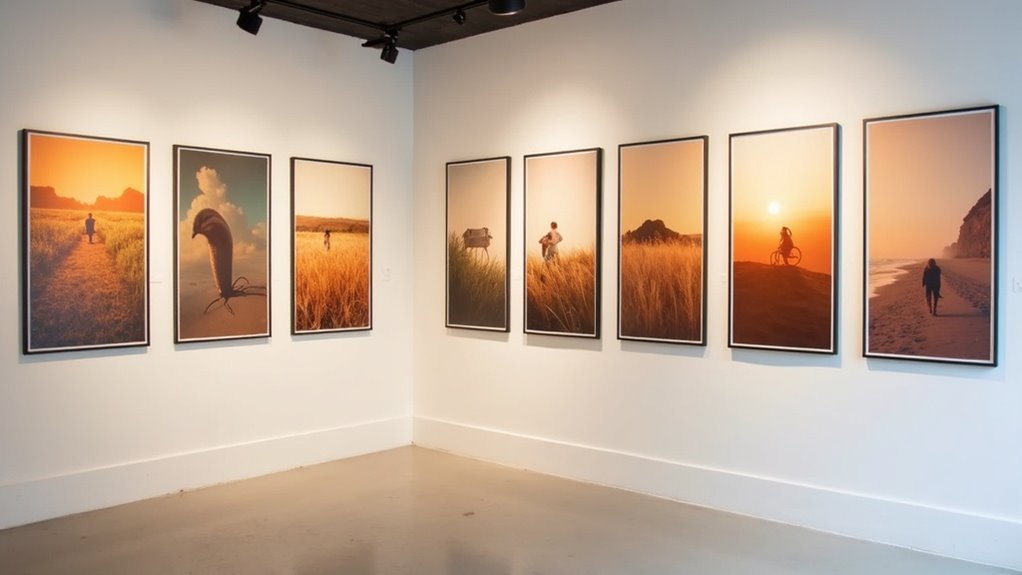
To keep your featured images consistent in style, you should establish a structured editing workflow. Start by using similar presets, documenting your settings for brightness and contrast. Maintain uniformity through consistent dimensions and cropping, applying descriptive terms to your styles. Don’t shy away from experimenting with new techniques, but balance creativity and consistency. This approach not only enhances your visuals but also boosts engagement. There’s more to uncover about refining your editing process and achieving cohesive results.
Key Takeaways
- Establish a standardized editing workflow that includes preset adjustments for consistency across featured images.
- Use a consistent color palette and lighting conditions to maintain a uniform aesthetic.
- Document and apply uniform cropping dimensions to ensure all images share similar proportions.
- Regularly refine presets based on feedback to enhance engagement while keeping a cohesive style.
- Experiment with new techniques while adhering to a core editing style for a balanced creative approach.
Establishing a Structured Editing Workflow
To guarantee your featured images maintain a consistent look, it’s essential to establish a structured editing workflow.
Start by defining specific steps for image adjustments to ascertain consistency and visual appeal. Utilize presets as a foundation, but tweak them for each image’s unique qualities while keeping the overall style in mind.
Document your slider settings to maintain a cohesive look and enhance user experience. Keep a notepad handy to track adjustments that aren’t easily replicated.
Regularly review and refine your editing workflow, focusing on image optimization to improve efficiency and uphold the desired aesthetic across all featured images.
Utilizing Similar Presets and Documenting Settings
Consistency in featured images hinges on your ability to utilize similar presets and meticulously document settings.
Establish a preset that aligns with your branding aesthetic, creating a consistent look across your content. Document settings like brightness, contrast, and saturation during editing sessions to replicate successful image styles in future projects.
Create a preset that reflects your brand’s aesthetic for a unified visual style across all content.
Use a notepad or digital tool for presets tracking, ensuring uniformity across your visuals. Regularly refine your style based on feedback, which enhances user engagement.
Sync edits across batches when possible, reinforcing a cohesive visual narrative that captivates your audience and strengthens your brand identity.
Maintaining Uniformity in Adjustments
While maintaining a uniform approach to adjustments is essential for achieving a cohesive look in your featured images, establishing a standardized editing workflow can greatly streamline your process. Documenting individual slider settings helps guarantee uniformity in adjustments, while consistent cropping dimensions enhance visual appeal. Here’s a quick reference:
| Step | Description |
|---|---|
| 1. Image Dimensions | Set consistent dimensions |
| 2. Cropping | Apply uniform, consistent cropping |
| 3. Editing Style | Use descriptive terms (e.g., “Warm”) |
| 4. Document | Note slider settings for each image |
This method enhances user experience and SEO by guaranteeing images look harmonious across your website.
Experimenting With New Techniques
Experimenting with new editing techniques not only sparks creativity but also helps you discover unique styles that can elevate your featured images.
By utilizing presets as a foundation and customizing each image, you maintain consistency while enhancing your visual identity. Regularly dedicate time to explore new tools, allowing for innovation without sacrificing quality.
Document successful adjustments in a notepad to replicate effective techniques, ensuring a cohesive brand look. Gradual experimentation with different editing styles leads to a refined aesthetic, striking a balance between creativity and the need for consistency in your featured images.
Embrace this process to enrich your artistry.
Enhancing Cohesiveness Through Descriptive Aesthetics
To create a visually cohesive brand identity, focus on enhancing the aesthetics of your featured images through deliberate choices.
A well-curated approach can greatly elevate your brand’s visual identity. Consider these strategies:
- Use a consistent color palette that reflects your brand’s essence to evoke similar emotional responses.
- Maintain similar lighting conditions for brightness and contrast, unifying your overall aesthetic.
- Guarantee a uniform level of detail across images to foster a harmonious visual experience.
- Apply consistent framing styles and similar filters to standardize aesthetics, reinforcing cohesiveness in your featured images.
