
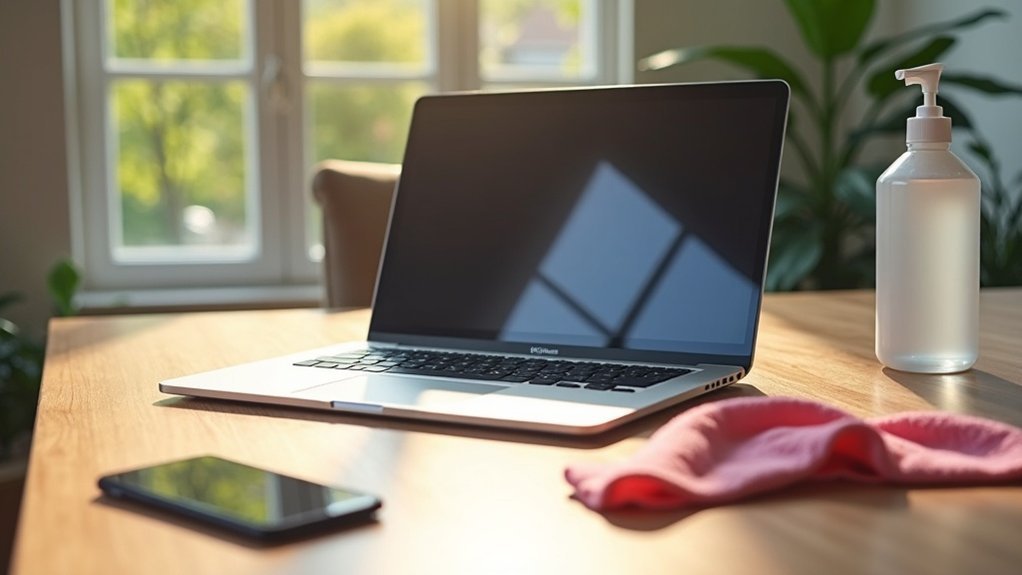
To protect your electronics, establish a daily and weekly cleaning routine. Daily, disinfect high-touch surfaces like keyboards and phones with a microfiber cloth dampened in a 70% isopropyl alcohol solution. Weekly, dust screens and thoroughly wipe down devices to prevent dirt buildup. Always unplug devices before cleaning and avoid using harsh chemicals. Following these best practices can enhance device performance and lifespan. Discover more essential techniques to keep your tech safe and clean.
Key Takeaways
- Establish a daily cleaning routine focusing on disinfecting high-touch surfaces to reduce germ spread and protect electronics.
- Use a 70% isopropyl alcohol and 30% water solution on a damp microfiber cloth for effective cleaning.
- Dust and wipe down devices weekly to prevent dirt buildup and ensure optimal performance.
- Always power off and unplug devices before cleaning to maintain safety and prevent damage.
- Avoid using harsh chemicals and spritzing liquids directly on devices, as this can harm electronics.
Daily and Weekly Cleaning Routines
To keep your electronics in prime condition, it’s important to establish daily and weekly cleaning routines.
Your daily cleaning routine should focus on disinfecting high-touch surfaces like keyboards, phones, and mice to maintain hygiene and reduce germ spread. Use a damp microfiber cloth with a mixture of 70% isopropyl alcohol and 30% water for safe and effective cleaning.
For your weekly cleaning routine, dust screens and wipe down devices thoroughly to prevent dirt buildup. Regular cleaning not only protects your devices but also guarantees peak performance and longevity, making your cleaning supplies essential for maintaining these routines.
Best Practices for Disinfecting Electronic Devices
While keeping your electronic devices clean is essential for hygiene and performance, knowing the best practices for disinfecting them can make the process more effective.
Regularly disinfect high-touch items like smartphones and keyboards using a microfiber cloth moistened with a 70% isopropyl alcohol and 30% water solution. Always unplug devices before cleaning to guarantee a safe experience and avoid damage.
Never spray liquids directly onto devices; instead, apply cleaning products to the cloth. Focus on often-overlooked areas like buttons and ports for thorough cleaning.
Establish a routine, cleaning weekly for most devices and daily for high-touch items to maintain hand hygiene.
Cleaning Techniques for Different Devices
Maintaining the cleanliness of your electronic devices is essential for their longevity and performance.
For monitors and TVs, gently use a microfiber cloth in circular motions, avoiding pressure to prevent damage.
Gently clean monitors and TVs with a microfiber cloth in circular motions, ensuring no pressure is applied to avoid damage.
Keyboards require compressed air to dislodge dust and debris, followed by a lightly dampened microfiber cloth for surfaces.
When cleaning PC cases and laptops, always power down and unplug before using a damp microfiber cloth and compressed air for vents.
For touch screens, lightly dampen a microfiber cloth to maintain sensitivity while avoiding scratches.
Use special cleaning kits for microphones and speakers to guarantee proper care without damage.
Maintaining Clean and Safe Tech Hardware
As you navigate the demands of daily life, ensuring your tech hardware remains clean and safe is essential for peak performance and hygiene.
Establish a regular cleaning routine that focuses on high-touch areas like keyboards and screens. Use a microfiber cloth with diluted isopropyl alcohol to effectively disinfect surfaces while avoiding damage.
Don’t forget to clean often-overlooked spots, such as ports and edges, to eliminate dust particles that can impact internal components.
Implement preventive measures like using protective covers and promoting hand hygiene to reduce dirt accumulation, ultimately enhancing device performance and prolonging its lifespan.
Common Mistakes to Avoid
Many people make critical mistakes when cleaning their electronics that can lead to damage or reduced performance.
To safely clean your device, always dampen a microfiber cloth instead of spraying liquid directly on it. Avoid harsh chemicals; instead, use mild disinfectants specifically designed for electronics to prevent permanent damage.
Don’t overlook key areas like buttons and ports, as dust and dirt buildup can compromise hygiene.
Finally, remember to power off and unplug your device before cleaning to avoid electrical hazards.
Following these best practices will help you maintain your electronics effectively and prolong their lifespan.
